Dealer management in Odoo

3A dealer - Auto Sales.Auto Service.Auto Parts.

Car sales, service workshop and parts stock in one system: buying and selling vehicles, repair orders, parts inventory and printed documents — the work runs through linked documents.

Install it in your own Odoo, or get it as a turnkey service: we run the server, update it and keep the backups, and you simply work.

Free core, open source LGPL-3 Interface in 7 languages Turnkey service on request Uses Odoo's own accounting

Three “A”s — three parts of one system

Showroom, workshop and parts stock share one database: vehicles, customers and documents are common, so a car you sold comes in for service with its history already on file, and a part used in a repair order leaves the same stock.

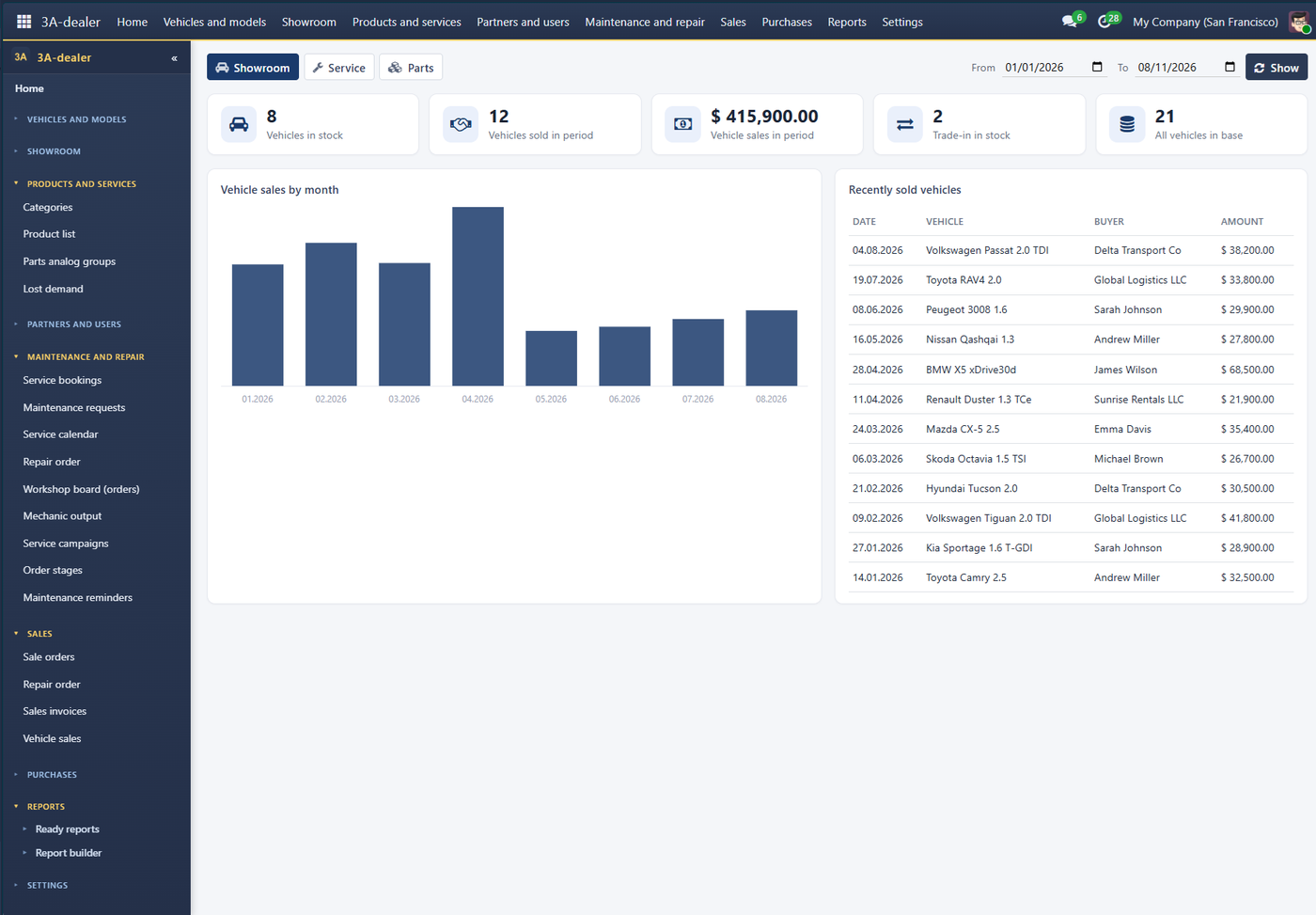
Showroom home: vehicles in stock, sales by month

AAuto Sales.

  • Vehicle stock as goods with states: ordered, in transit, in stock, reserved, sold
  • Trims, colours, options, trade-in
  • Used-car economics: reconditioning, days in stock, margin per vehicle Pro
  • AUTO.RIA listings update themselves, no manual re-uploading Pro
  • Car loans and leasing: payment calculation, bank offers, application pack Pro
  • VIN decoding — the vehicle card fills in with one click Pro
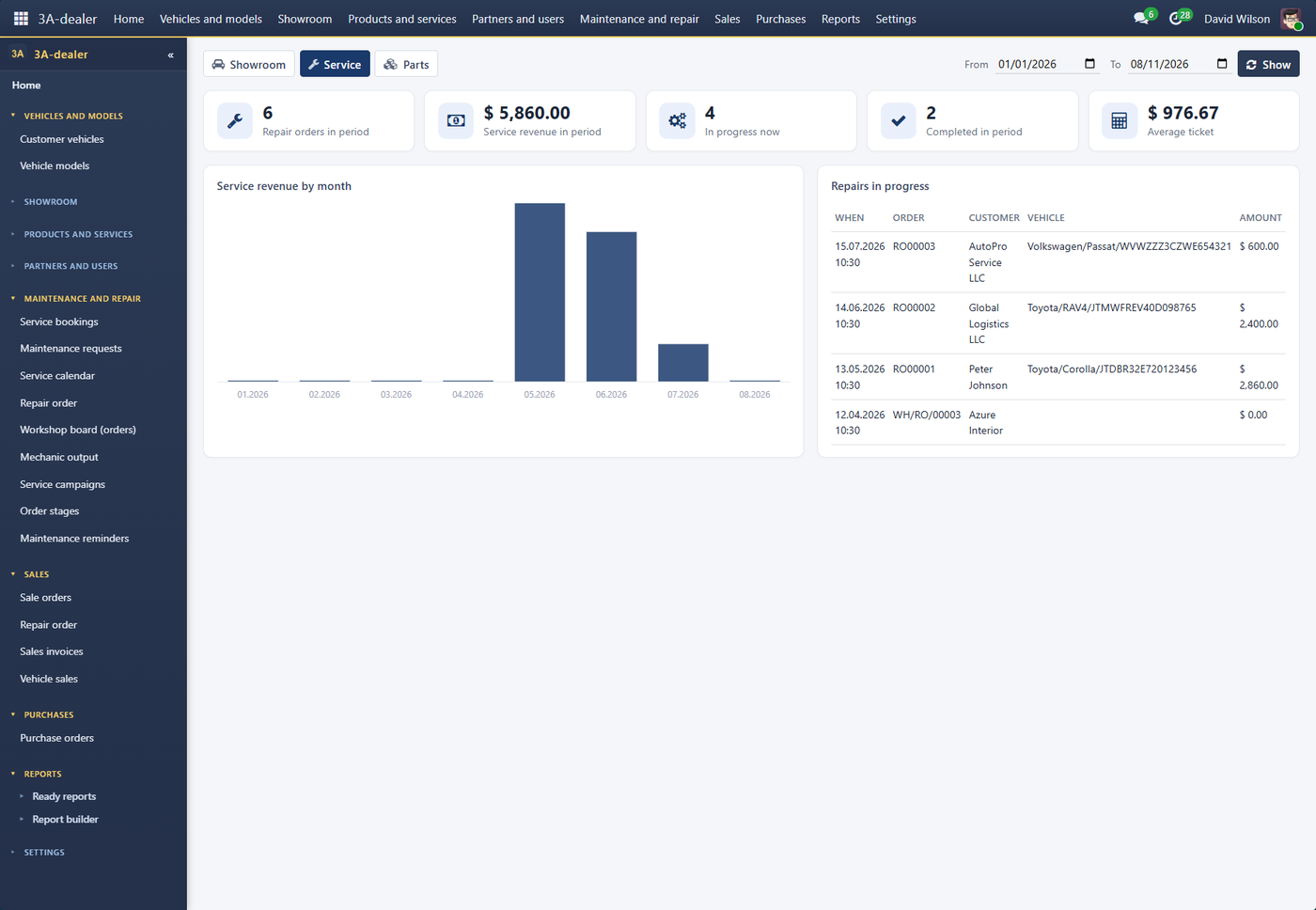
Workshop home: repair orders in progress and revenue

AAuto Service.

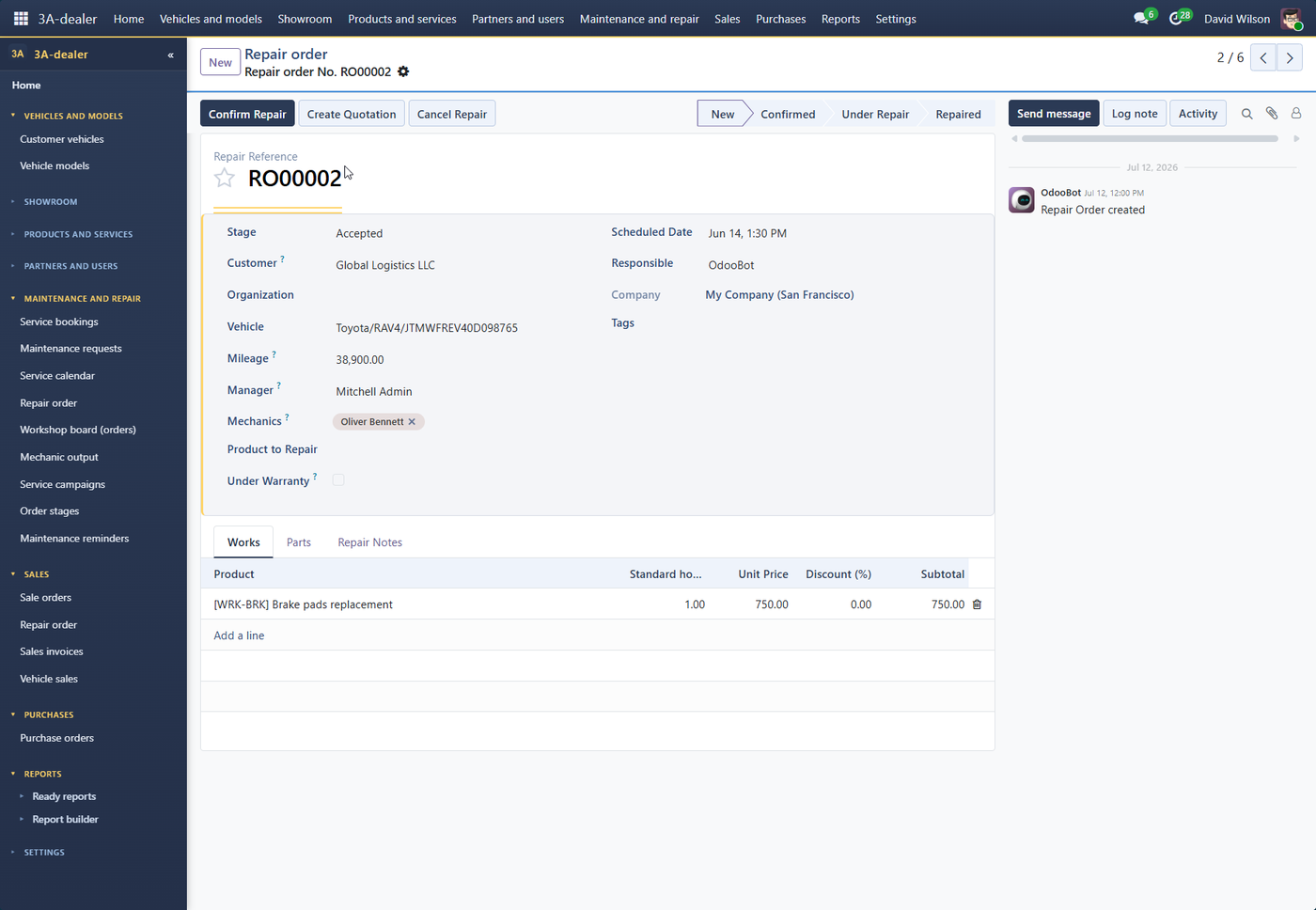
  • Repair order: customer, vehicle (VIN), mileage, mechanics, service advisor, labour and parts
  • Customer vehicle file with repair history, service reminders
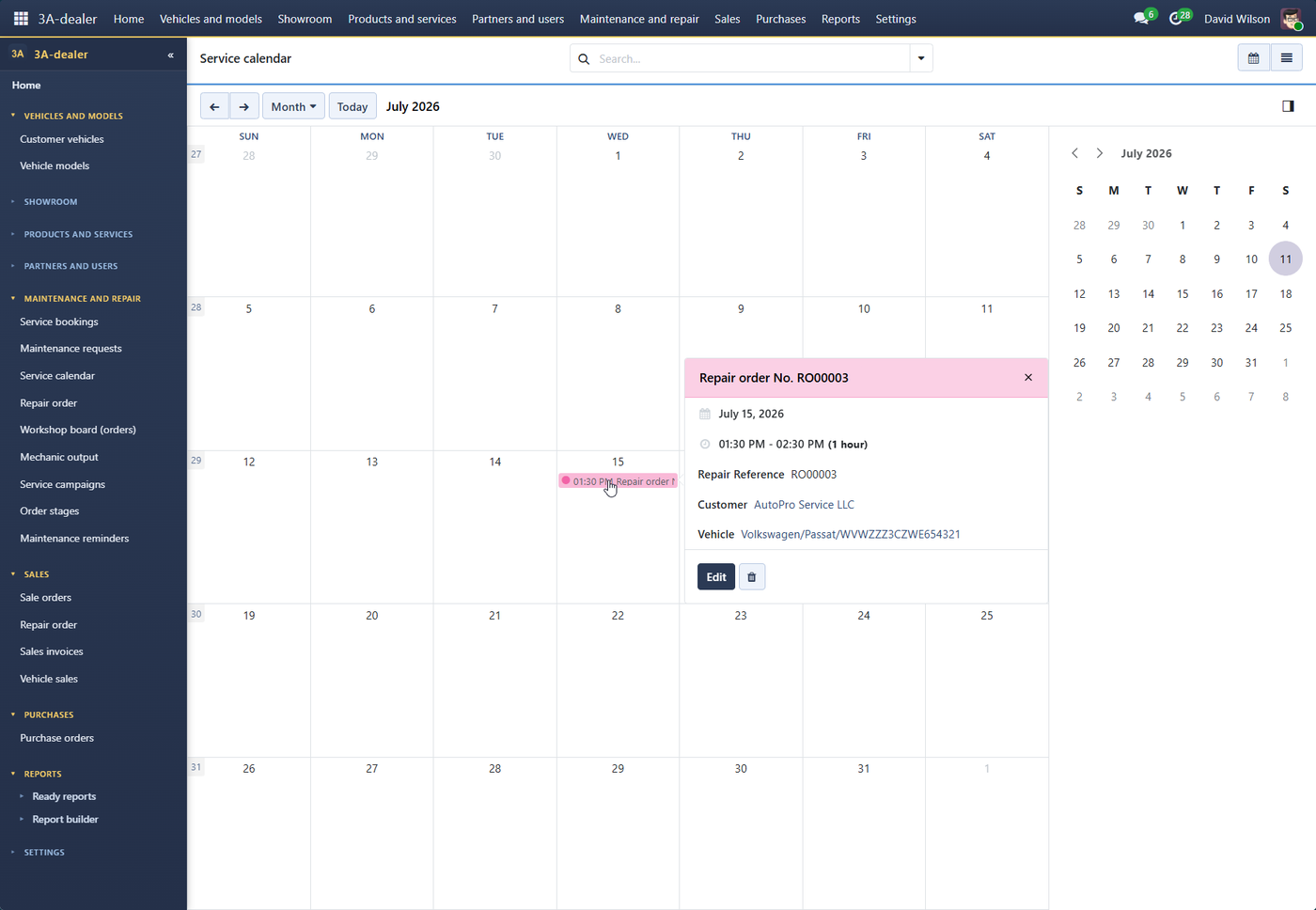
  • Booking calendar, standard hours and mechanic output
  • Digital inspection with traffic lights: a fault becomes a job in the repair order, with photos for the customer Pro
  • Planner for bays and lifts, online booking for customers Pro
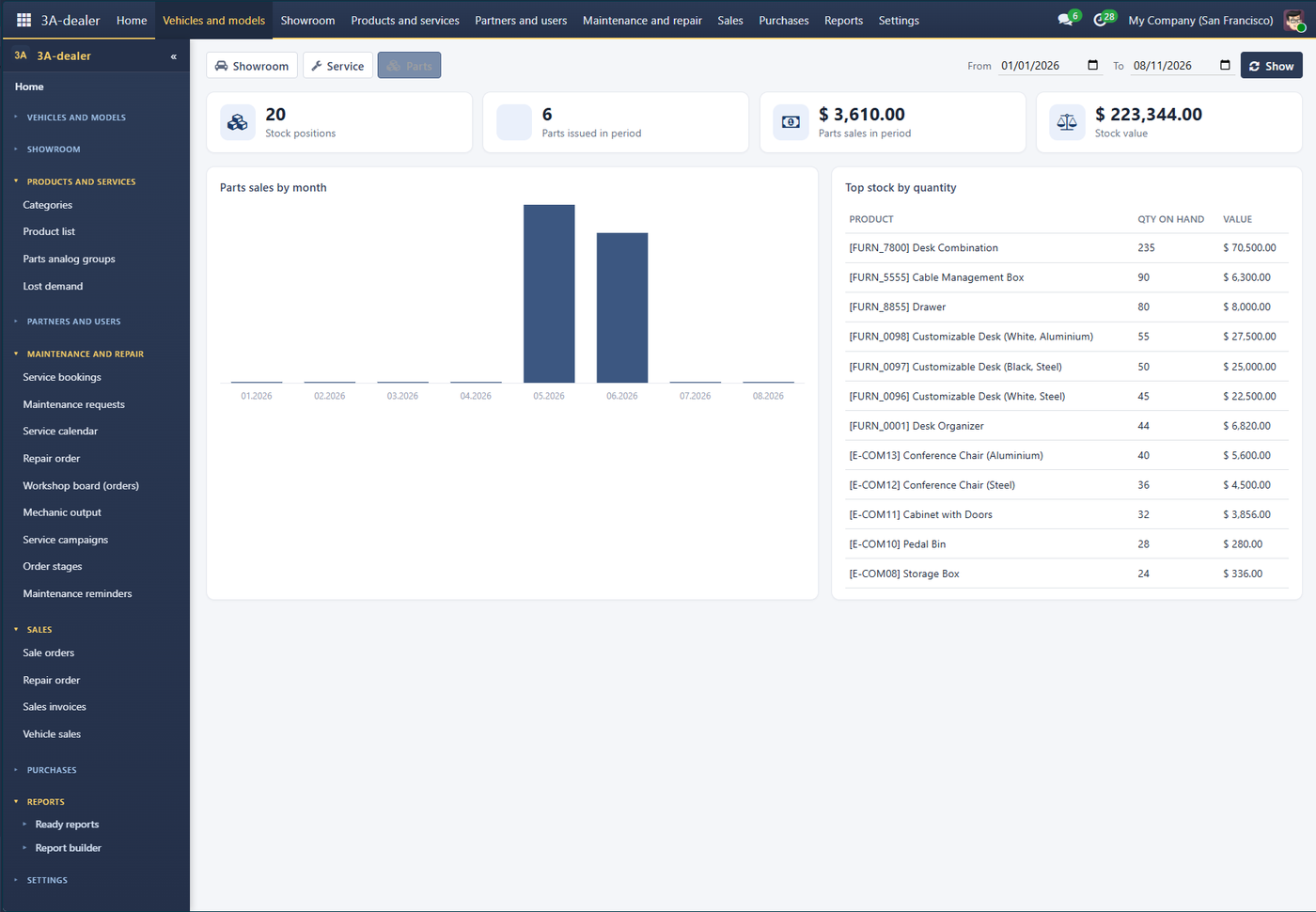
Parts home: stock levels and sales

AAuto Parts.

  • Parts stock, receipts and issues, stock control in the repair order
  • Analogue groups — interchangeable parts
  • Lost demand: what was asked for but was not in stock
  • OEM cross-references, reordering by minimum and maximum, barcode search Pro

Pro — paid add-on to the free core, if you install the modules in your own Odoo. With the turnkey service we pick the set of modules for your business.

Customer order→ Repair order→ Delivery note / Act / Invoice

The work runs through documents, the way the trade is used to. Each document is created from the previous one and keeps the link to it: from any of them you can go up to the order or down to the payment.

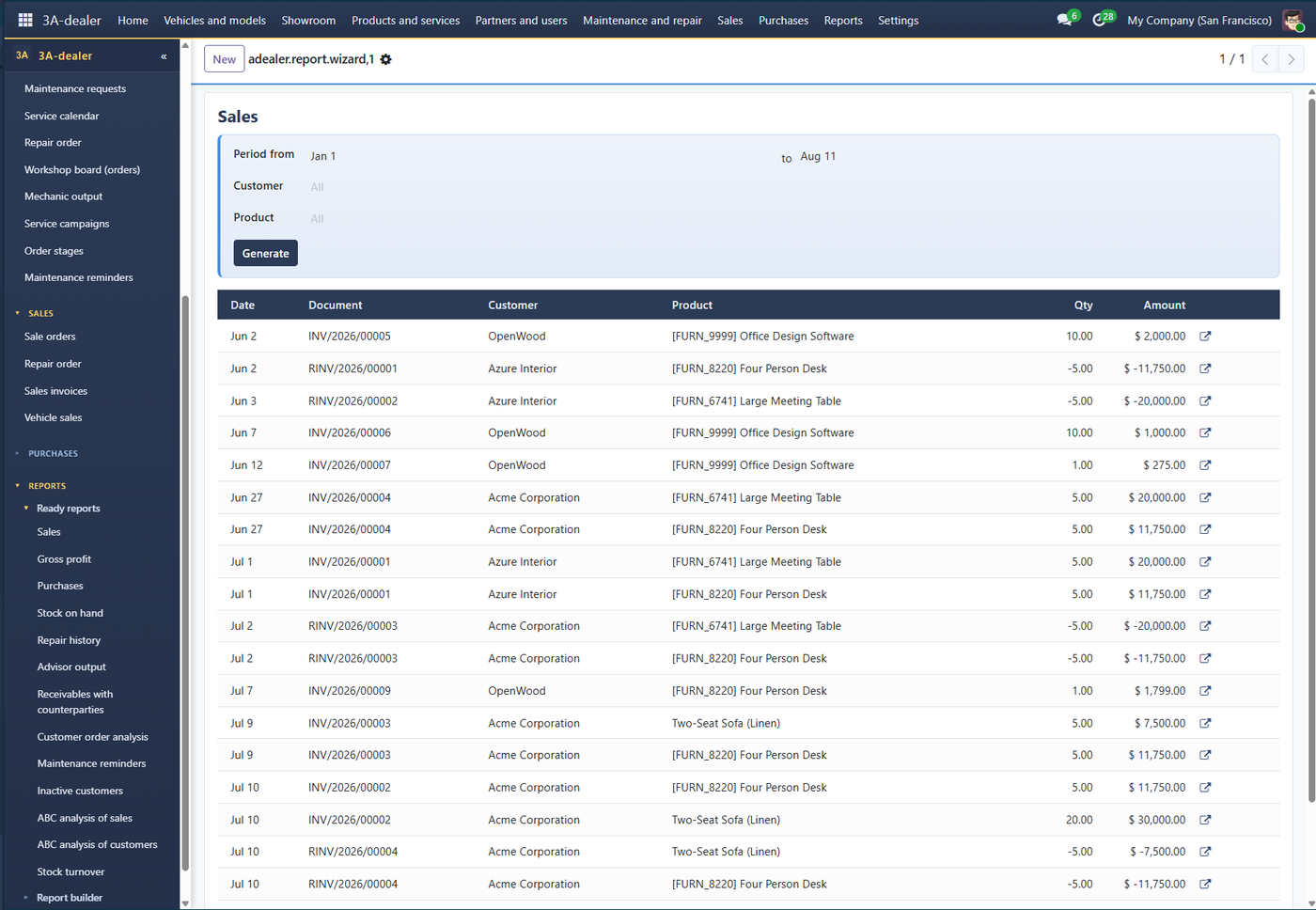
Reports: sales, gross profit, receivables with drill-down, ABC analysis, stock turnover, inactive customers.

How it looks

Screenshots from the demo stand with sample data. The interface is available in seven languages.

Repair order: vehicle, mileage, mechanics, labour and parts
Service booking calendar
Ready reports: sales register with drill-down
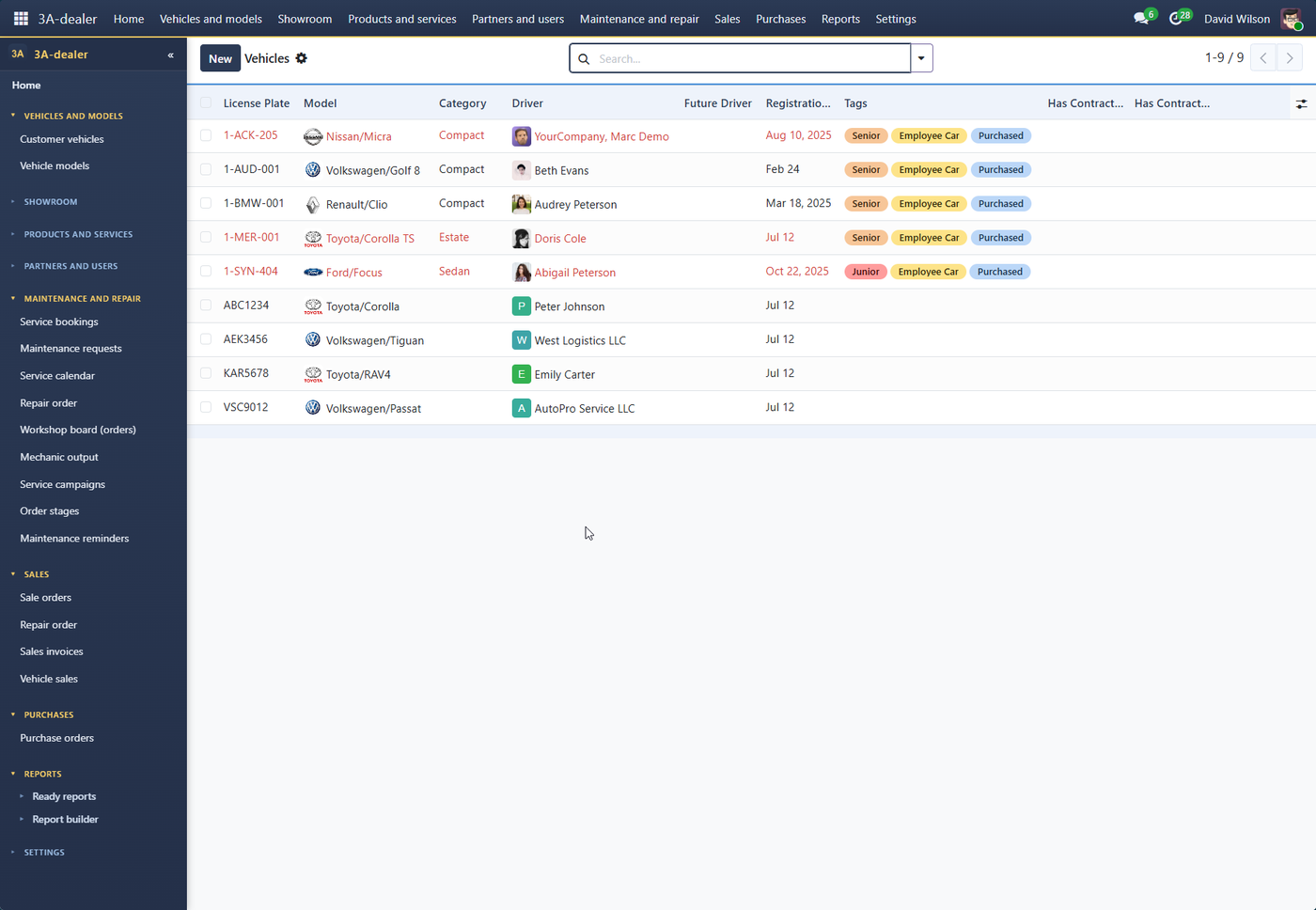
Customer vehicles: plate, model, driver, contracts

Two ways to get it

The same system. The difference is who runs the server and takes care of updates.

no server of your own

Turnkey service

The system runs on our server; you get an address and logins. Installation, updates and backups are our job, not yours.

  • a separate database for your company
  • daily backups
  • updates at no extra cost and without your own administrator
  • transfer of master data and staff training
  • server in the European Union (the Netherlands)

The price depends on the number of users and the modules you need. We send a quote after a short talk about your business.

In your own Odoo

If you already have Odoo: the core is free on Odoo Apps, and the add-ons are bought there too, once, with no subscription.

How to start

  1. RequestTell us what you have: showroom, workshop, parts or all of it, how many sites, and which system you are moving from.
  2. TalkWe agree on modules, users, master data and the date from which opening balances are taken.
  3. Set-upWe transfer partners and master data; partners can also be imported from Excel.
  4. Go-liveWe show your people how to work and stay in touch by e-mail.

Good to know up front

Try it on the live demo

Showroom, workshop and parts with sample data. Login demo / demo; the data is made up and is reset every day. To change the interface language: your avatar at the top right → My Preferences → Language.